> For the complete documentation index, see [llms.txt](https://hyperdust-foundation.gitbook.io/moss-ai-docs/llms.txt). Markdown versions of documentation pages are available by appending `.md` to page URLs; this page is available as [Markdown](https://hyperdust-foundation.gitbook.io/moss-ai-docs/archived/game/ai-gaming-quick-start/node-mining/run-a-moss-ai-inference-node/linux/installing-linux-remote-connection-tools.md).

# Installing Linux remote connection tools

<br>

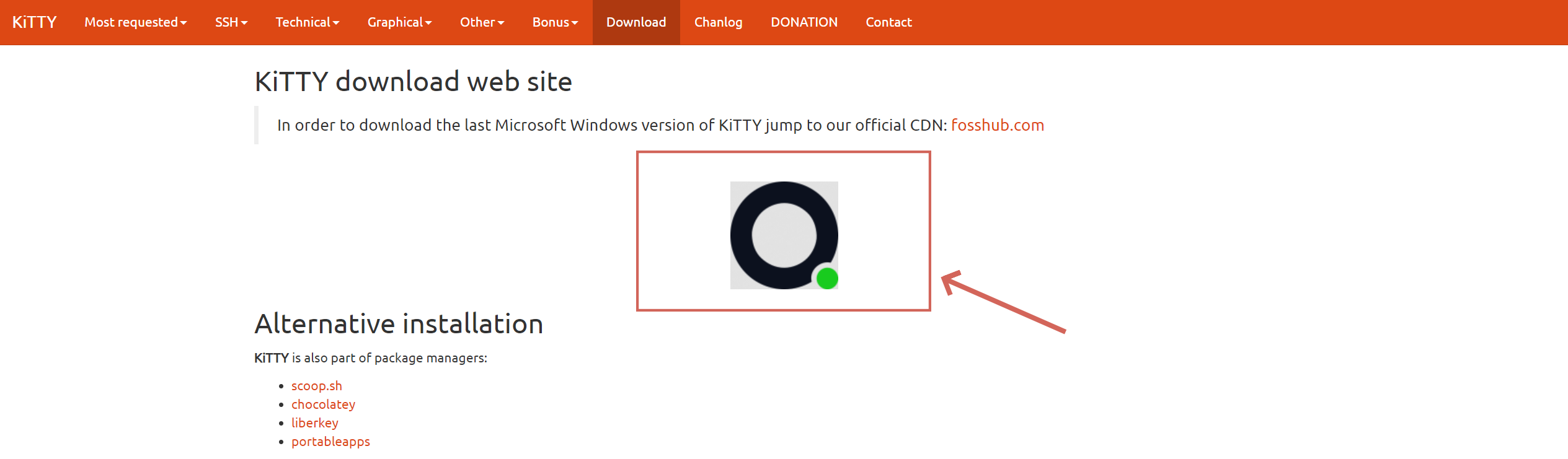
1.Visit[ https://www.9bis.net/kitty/#!pages/download.md](https://www.9bis.net/kitty/#!pages/download.md) to download KiTTY<br>

<figure><img src="https://2279354883-files.gitbook.io/~/files/v0/b/gitbook-x-prod.appspot.com/o/spaces%2FQKOLPD4ViKheRmnU59nx%2Fuploads%2FDJPPenzvh8NzDxUvNZZk%2F1-0.png?alt=media&amp;token=6560ca6c-15de-4e49-a904-b2639ee18a56" alt=""><figcaption></figcaption></figure>

<figure><img src="https://lh7-us.googleusercontent.com/docsz/AD_4nXeSp3Gprfp7pG17jRWI0ZEGfxSNSd9AfEy8MKtyIDmaTESqRNHf6kjILiRAjXm-LKvHNvBFZtGIy0W2IdvHcldqLyw-NPLBXGdz8dC1K_k-KtnS3i7CN3L2BeeaKzxrjb3RBb-ZKr8mz5QZ9LUhuxPXzc0?key=tgTXhGNI2CWV8u_oln5cfQ" alt=""><figcaption></figcaption></figure>

<br>

2.If using key-based login, please enter your key here.<br>

<figure><img src="https://2279354883-files.gitbook.io/~/files/v0/b/gitbook-x-prod.appspot.com/o/spaces%2FQKOLPD4ViKheRmnU59nx%2Fuploads%2FqSSNgUu8duRfHY6R3BTW%2F01.jpg?alt=media&amp;token=746b6aa0-7835-441d-83f0-fec3723c1dec" alt=""><figcaption></figcaption></figure>

&#x20;<br>

3\. Upload the private key file for authentication<br>

<figure><img src="https://lh7-us.googleusercontent.com/docsz/AD_4nXcMFqOyFr_1WUWf3jeDzYUhvtKPYb8IQCJiwObW4UavXLAKrACWnTXVROwZKLSfQY5sL3b_5NB4FOHql5OIT5CUIi9wMSH2rOfRfTtWlT2n0nVnveM1TPtdQ4P9vQKi1dhWqNGqHk90TM4BBVbqDjxVj-Gn?key=tgTXhGNI2CWV8u_oln5cfQ" alt=""><figcaption></figcaption></figure>

4\. Click 'Accept'.

<figure><img src="https://lh7-us.googleusercontent.com/docsz/AD_4nXefL5BpDMHe5pzMqbkjpvENz2nd6kh8_g8crZbhIU2ZLj2DF6iPT8KoAVcDhIcL7qAalw2XJkEBBzqBfIClArtzmnD-ksJICbTuW9V9DMkfGTP6fUOljf5F5fzpdTNY3sZcPZm8YKJrdLTxFIwGaurdHqM?key=tgTXhGNI2CWV8u_oln5cfQ" alt=""><figcaption></figcaption></figure>

5\. Enter your login name and press Enter.

<figure><img src="https://lh7-us.googleusercontent.com/docsz/AD_4nXeNPFs0j23ArsVVEEnz1eOGPtzwJ4GSDOTH5j3lJGGC8clzlFBXUed9KxTzImSFGgJSaF7wuYjg6YRiHwI2GZ9VBGcsXYVD2-pmdsknzt_QBHnInfCqfFO2gwfMNNQUY7O4VGG_FgDZKfUNN268mR_uKXoG?key=tgTXhGNI2CWV8u_oln5cfQ" alt=""><figcaption></figcaption></figure>

6\. If the following interface appears, it means the installation was successful.
<figure><img src="https://lh7-us.googleusercontent.com/docsz/AD_4nXeBxx2IriIm7-wKVTSxvnUpEUzjvsZK6EzA0EK2ad6Cbvrjm-x3rsQUMUhSs6D6jqYutfOammGPoMX55n65oWCeisOLPLctiMhDeDXh3eH_dN6LYZkNaDKYVEhd7SyKNZBXvMm03xLzZMrkfl-vDl_Y7K8?key=tgTXhGNI2CWV8u_oln5cfQ" alt=""><figcaption></figcaption></figure>

<br>
