# Customize AiPod

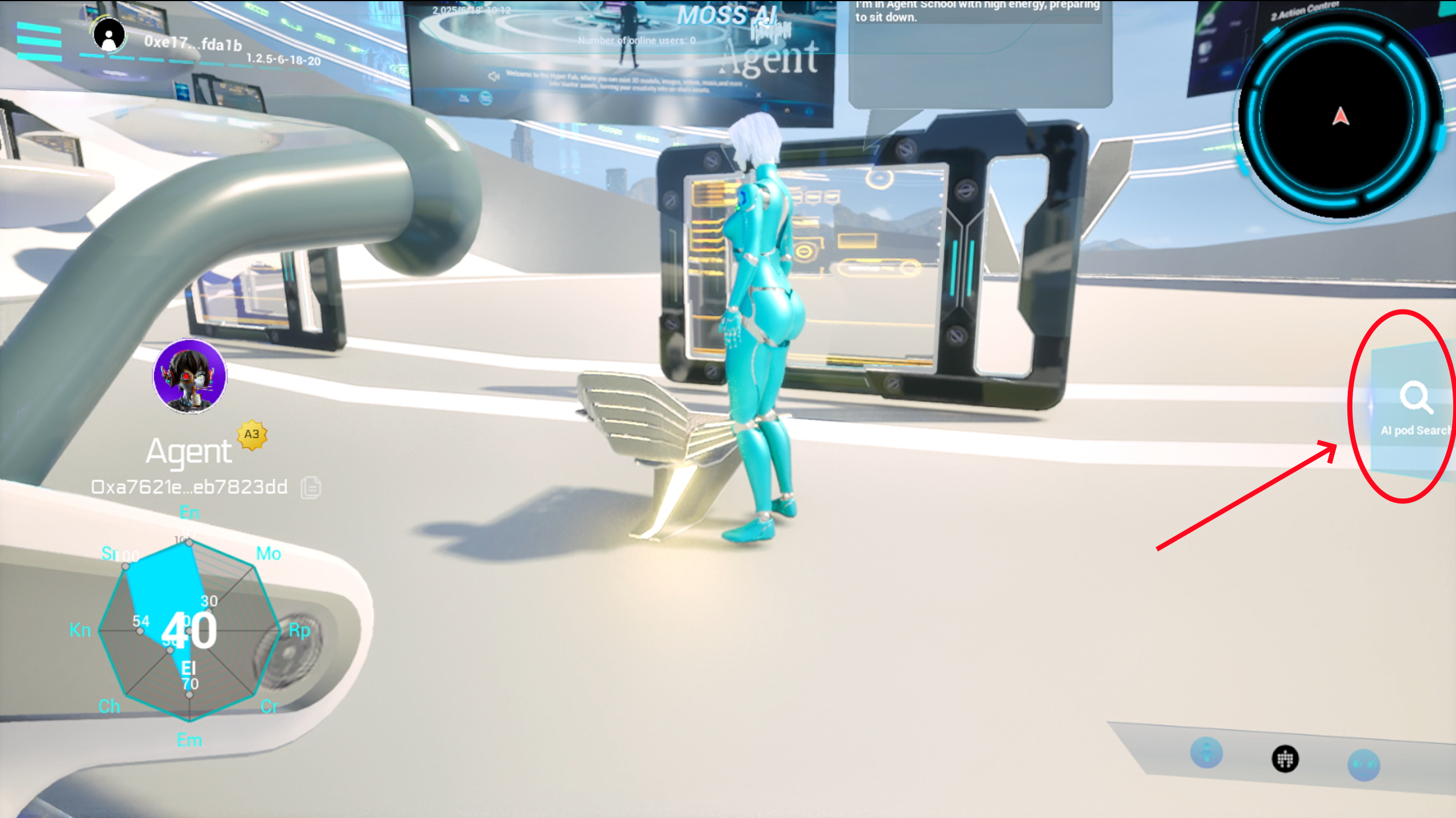
**Step1. Click on 'Pod Search' to enter your AiPod**

<figure><img src="https://2279354883-files.gitbook.io/~/files/v0/b/gitbook-x-prod.appspot.com/o/spaces%2FQKOLPD4ViKheRmnU59nx%2Fuploads%2FuxTuunR0gQcnf1TbH0Dy%2F%E5%BE%AE%E4%BF%A1%E5%9B%BE%E7%89%87_20250703200705.png?alt=media&#x26;token=106c60dc-bbe9-4598-8de7-8677bc9bc3e1" alt=""><figcaption></figcaption></figure>

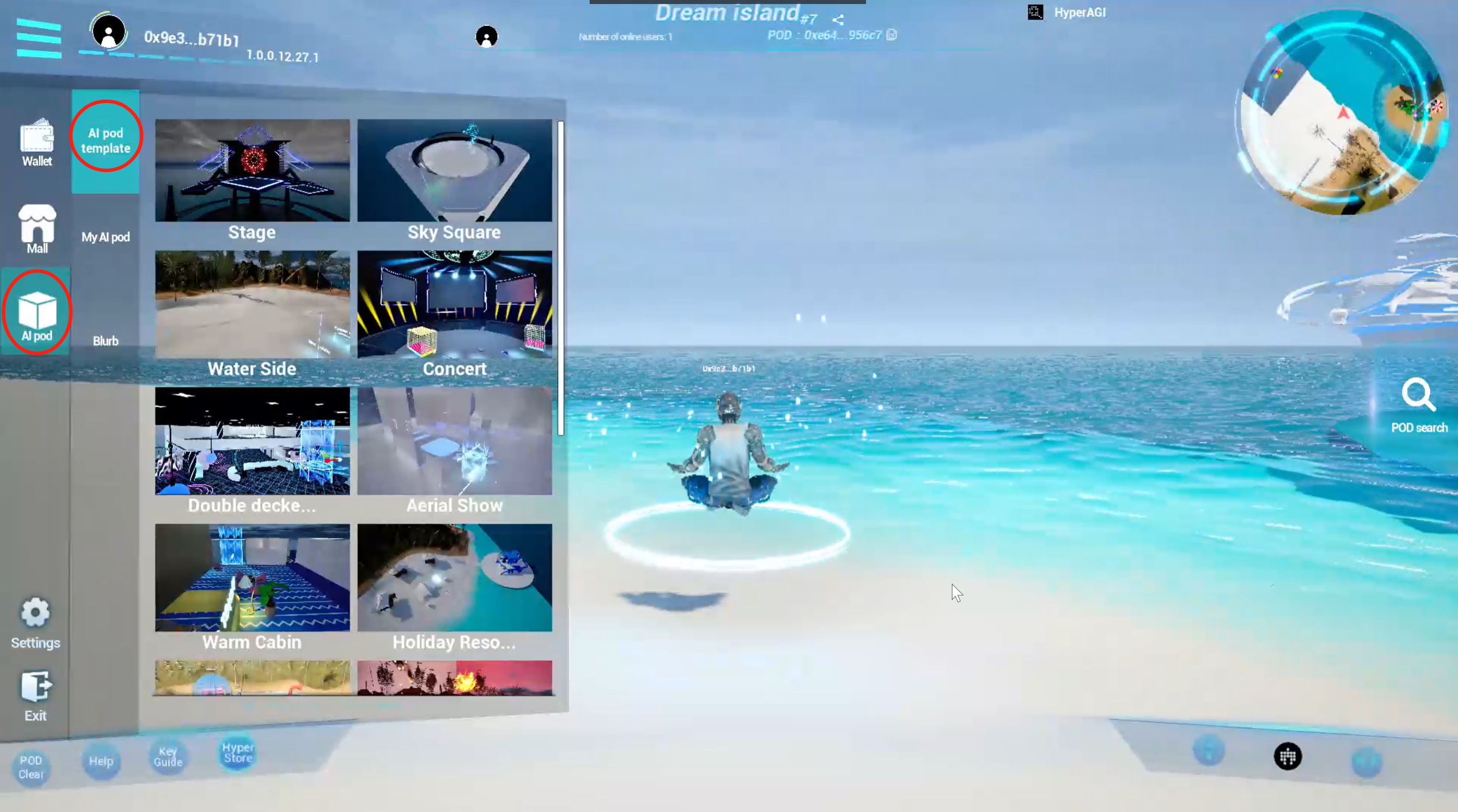
**Step2. Clicking the "AI Pod " will display a list of editable Pods.**&#x20;

Click to select and perform editing operations on that Pod.

<figure><img src="https://2279354883-files.gitbook.io/~/files/v0/b/gitbook-x-prod.appspot.com/o/spaces%2FQKOLPD4ViKheRmnU59nx%2Fuploads%2FFBakLlE1MPQf7vkkmiAT%2Fimage.png?alt=media&#x26;token=fc88f0b8-257c-4e0e-ac55-8ff4e7764616" alt=""><figcaption></figcaption></figure>

You can choose and use them according to your needs, enabling a quicker space building process.

**Step3. Edit Material**

We offer various material templates, you can also use all the artworks your own (including 2D and 3D artworks) as base materials.

<figure><img src="https://mossai-1.gitbook.io/~gitbook/image?url=https%3A%2F%2F3520432286-files.gitbook.io%2F%7E%2Ffiles%2Fv0%2Fb%2Fgitbook-x-prod.appspot.com%2Fo%2Fspaces%252Fe2Ukehxid4Rx6afInhTJ%252Fuploads%252FHNIBxoTdoQtk3tuTDfCg%252F%25E5%259B%25BE%25E7%2589%258711.png%3Falt%3Dmedia%26token%3Dde4ed25e-d44a-4459-bfdf-ecbd1e66bb06&#x26;width=768&#x26;dpr=4&#x26;quality=100&#x26;sign=48a87918&#x26;sv=2" alt=""><figcaption></figcaption></figure>

You can choose materials from the list, delete materials, and save materials as templates.

<figure><img src="https://mossai-1.gitbook.io/~gitbook/image?url=https%3A%2F%2F3520432286-files.gitbook.io%2F%7E%2Ffiles%2Fv0%2Fb%2Fgitbook-x-prod.appspot.com%2Fo%2Fspaces%252Fe2Ukehxid4Rx6afInhTJ%252Fuploads%252F7K5eRDKsyM1RwAjhr6RH%252F%25E5%259B%25BE%25E7%2589%258712.png%3Falt%3Dmedia%26token%3Da6eca84d-f03a-4879-9bd2-e9d9a9854463&#x26;width=768&#x26;dpr=4&#x26;quality=100&#x26;sign=8c43864e&#x26;sv=2" alt=""><figcaption></figcaption></figure>

**Step4. Edit Layout and Size**

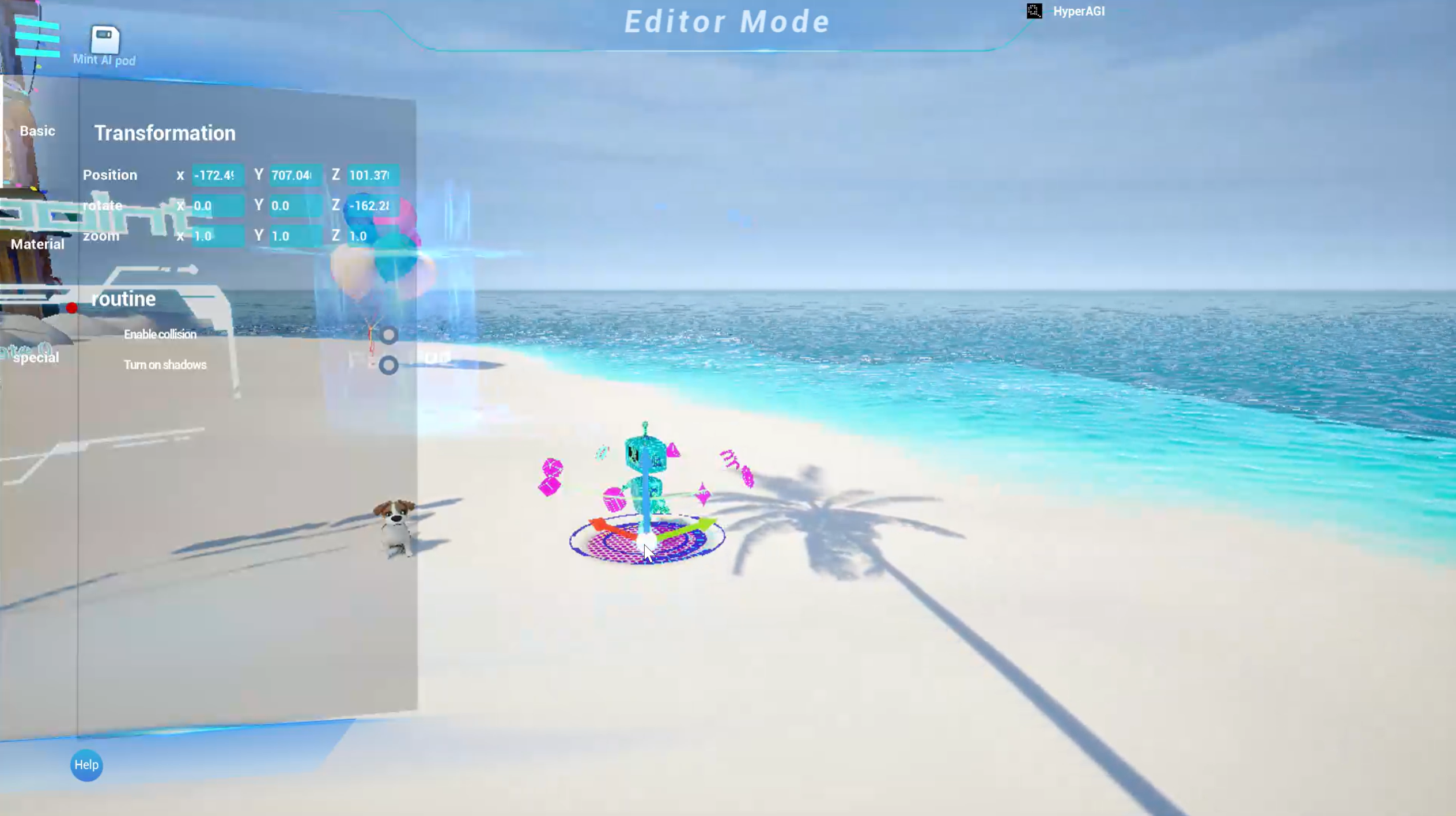
Select a building or object to move its position and adjust its size.

<figure><img src="https://mossai-1.gitbook.io/~gitbook/image?url=https%3A%2F%2F3520432286-files.gitbook.io%2F%7E%2Ffiles%2Fv0%2Fb%2Fgitbook-x-prod.appspot.com%2Fo%2Fspaces%252Fe2Ukehxid4Rx6afInhTJ%252Fuploads%252FJlg3yZ2y0sre9t7kGnHu%252F%25E5%259B%25BE%25E7%2589%258713.png%3Falt%3Dmedia%26token%3D979234d9-13cc-4313-8639-8d16a48f59cc&#x26;width=768&#x26;dpr=4&#x26;quality=100&#x26;sign=f37b471&#x26;sv=2" alt=""><figcaption></figcaption></figure>

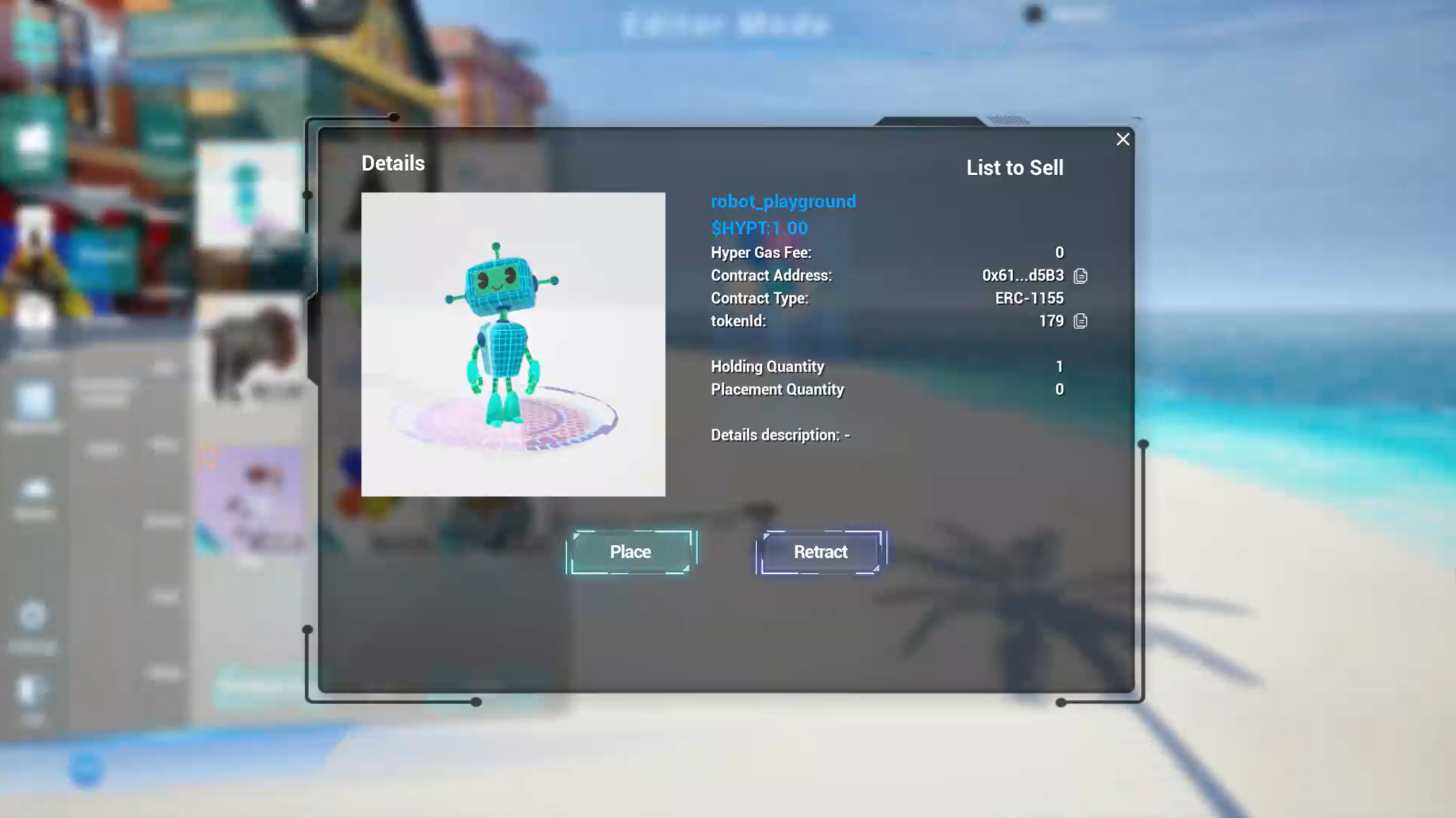
**Step5. Placing your NFTs**

You can place purchased or minted NFTs in your AI Pod. You can edit the model layout and scale.

<figure><img src="https://2279354883-files.gitbook.io/~/files/v0/b/gitbook-x-prod.appspot.com/o/spaces%2FQKOLPD4ViKheRmnU59nx%2Fuploads%2FvNq4PykXEnyRjJ5Tl8wV%2Fimage.png?alt=media&#x26;token=4b3ce191-e6e6-435c-ab16-f6a045f637c5" alt=""><figcaption></figcaption></figure>

<figure><img src="https://2279354883-files.gitbook.io/~/files/v0/b/gitbook-x-prod.appspot.com/o/spaces%2FQKOLPD4ViKheRmnU59nx%2Fuploads%2FYlaFmJ5NYA5oA3Eiy4gG%2Fimage.png?alt=media&#x26;token=16d505c7-8d4a-4e43-a743-4d9373cdc458" alt=""><figcaption></figcaption></figure>

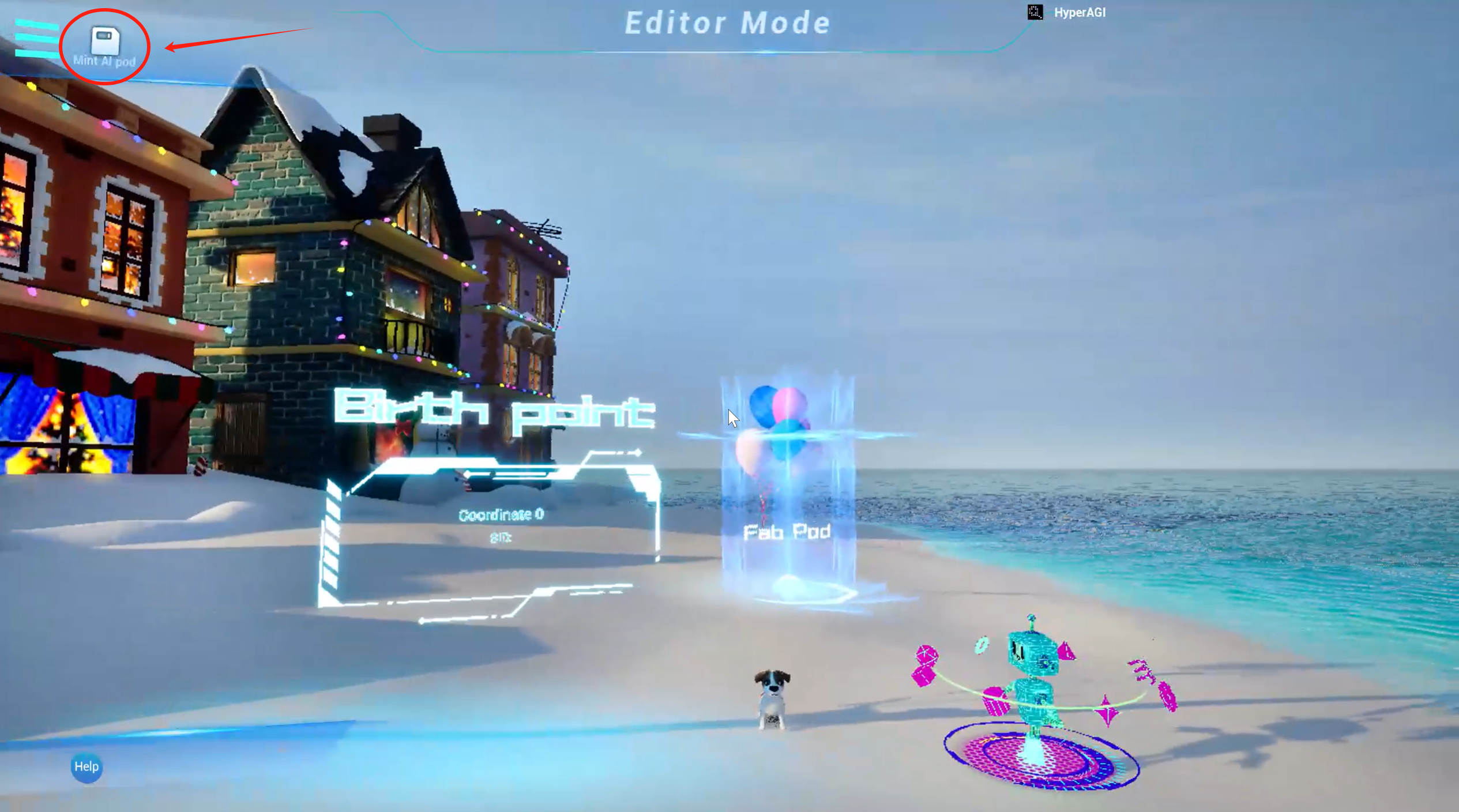
You can exit the editing mode at any time during the editing process. If you need to save the current mode, don't forget to click 'Save.'

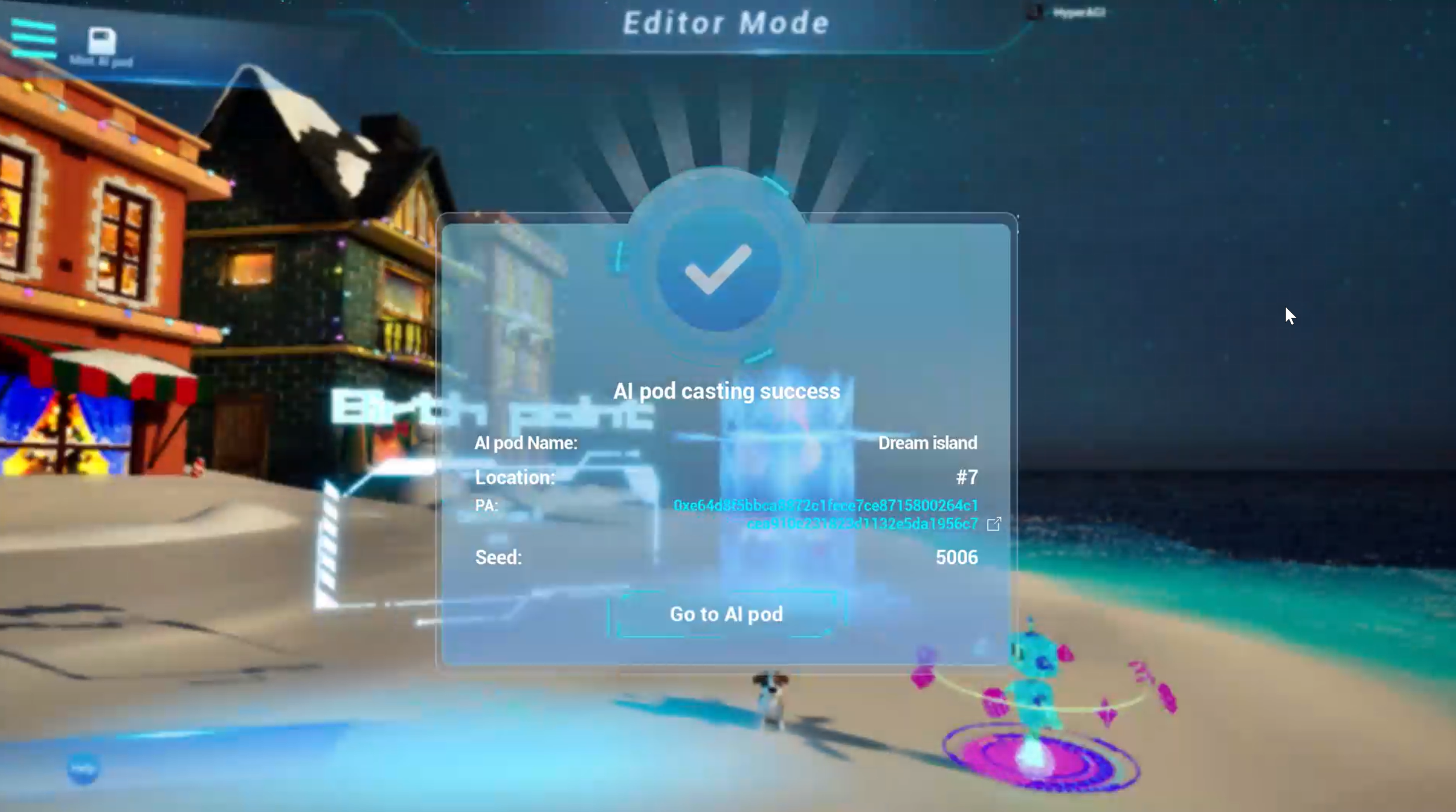
**Step6. Save and Publish your Space**

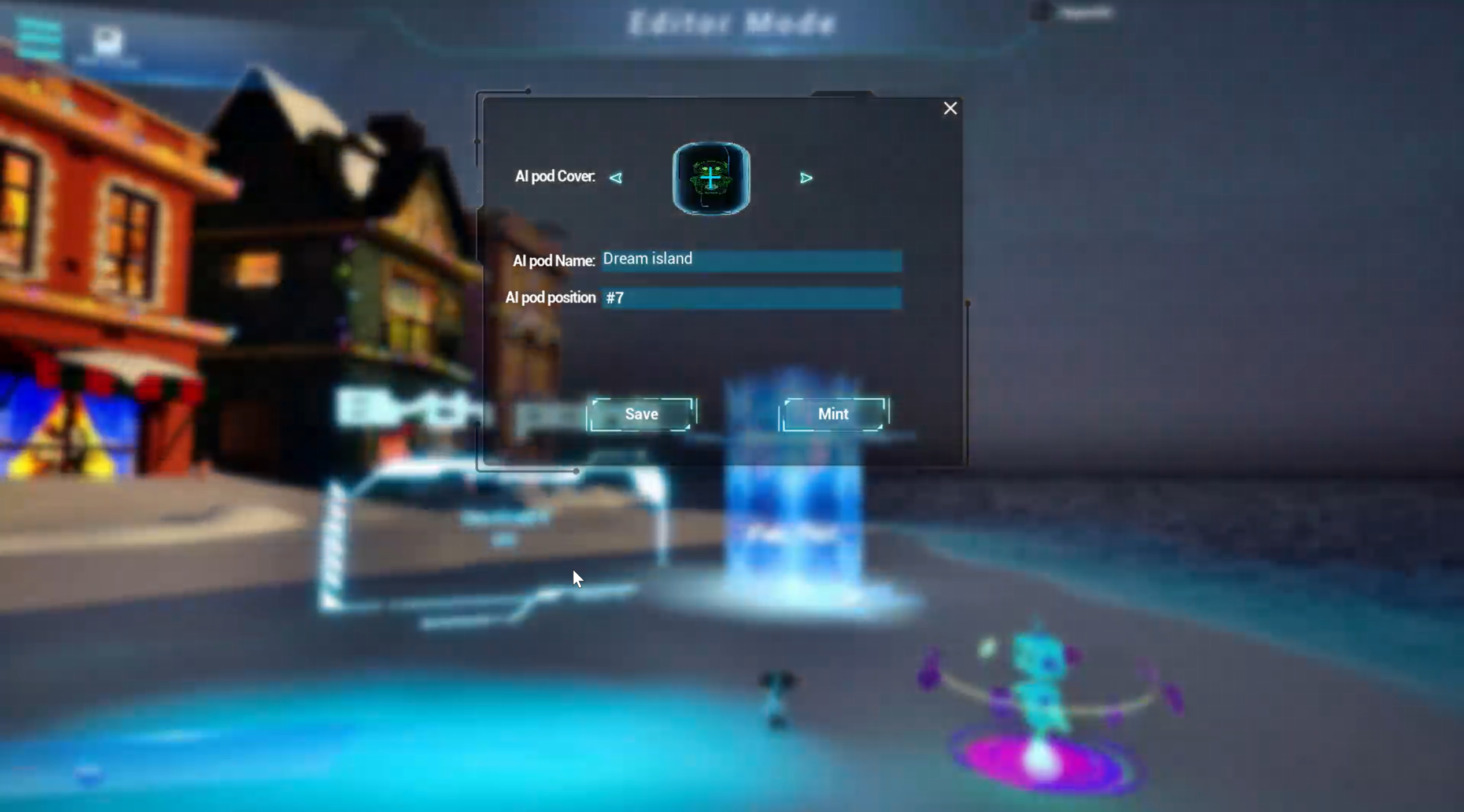
After finishing  editing, Click "Mint AI Pod" to complete the on-chain mint.

<figure><img src="https://2279354883-files.gitbook.io/~/files/v0/b/gitbook-x-prod.appspot.com/o/spaces%2FQKOLPD4ViKheRmnU59nx%2Fuploads%2FR2GHcdxuPVeL5GIWAhRl%2Fimage.png?alt=media&#x26;token=9a0ca140-54d1-46b4-ba9f-2bd5c54acbf0" alt=""><figcaption></figcaption></figure>

You need upload the cover of the AI Pod,and fill in the AI Pod Name. And Click "mint" to complete the blockchain upload.

<figure><img src="https://2279354883-files.gitbook.io/~/files/v0/b/gitbook-x-prod.appspot.com/o/spaces%2FQKOLPD4ViKheRmnU59nx%2Fuploads%2FsHEjG5yi9knpCEOG2c8c%2Fimage.png?alt=media&#x26;token=56fd6422-a30f-4bd7-8c1e-3d3ddec18fde" alt=""><figcaption></figcaption></figure>

<figure><img src="https://2279354883-files.gitbook.io/~/files/v0/b/gitbook-x-prod.appspot.com/o/spaces%2FQKOLPD4ViKheRmnU59nx%2Fuploads%2FW5XbU0Vz0EhjDJbfM5Gp%2Fimage.png?alt=media&#x26;token=8634c338-9877-4ebd-9463-cb9bf74d2974" alt=""><figcaption></figcaption></figure>

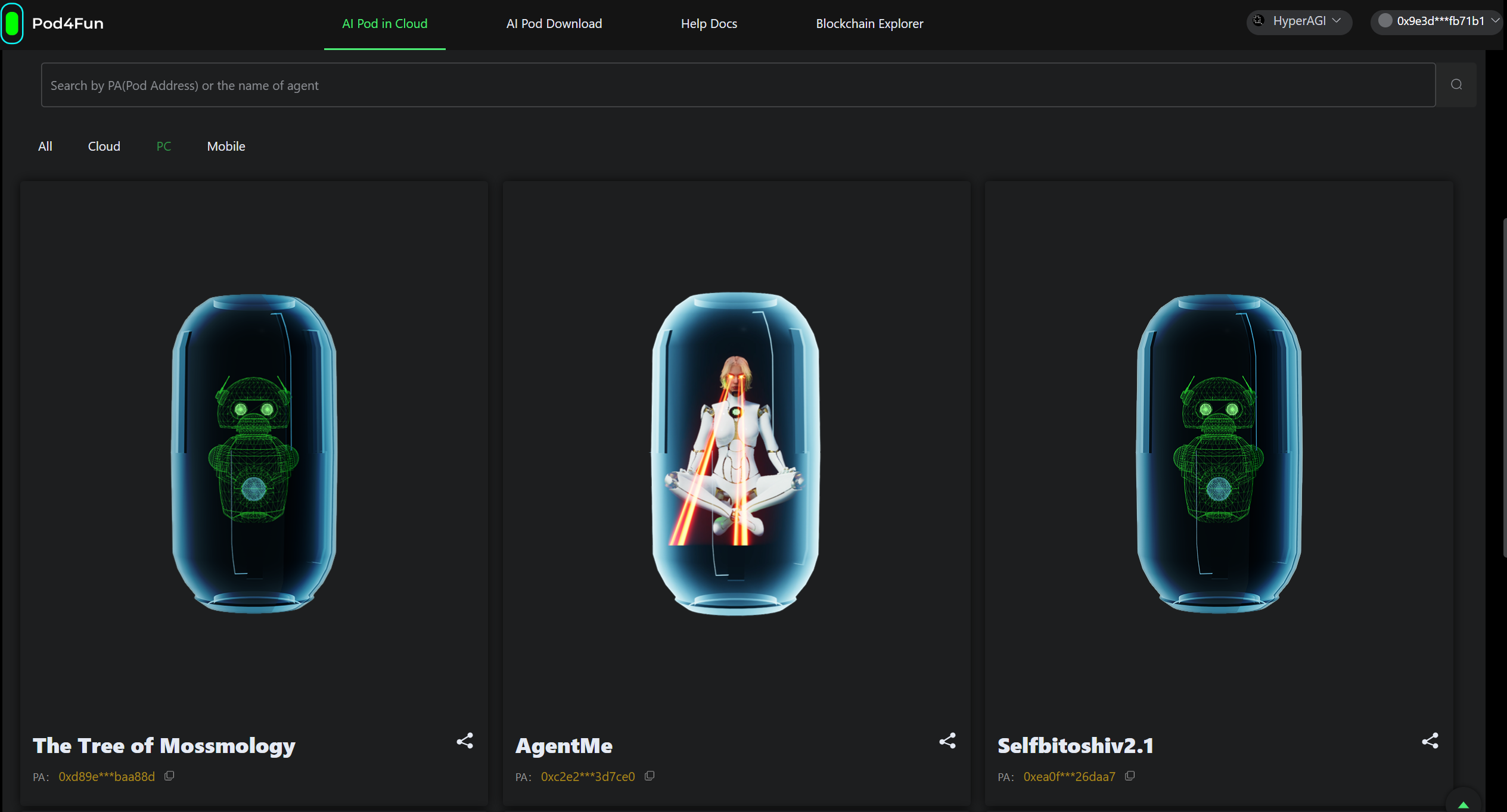
After being published on the blockchain, your space will be automatically deployed in the AI Pod list, enabling one-click access.
<figure><img src="https://2279354883-files.gitbook.io/~/files/v0/b/gitbook-x-prod.appspot.com/o/spaces%2FQKOLPD4ViKheRmnU59nx%2Fuploads%2FrhpPKhQKwofaNV6pcOJ5%2Fimage.png?alt=media&#x26;token=ffed1065-eb5e-4e14-90df-b765da988a2e" alt=""><figcaption></figcaption></figure>